
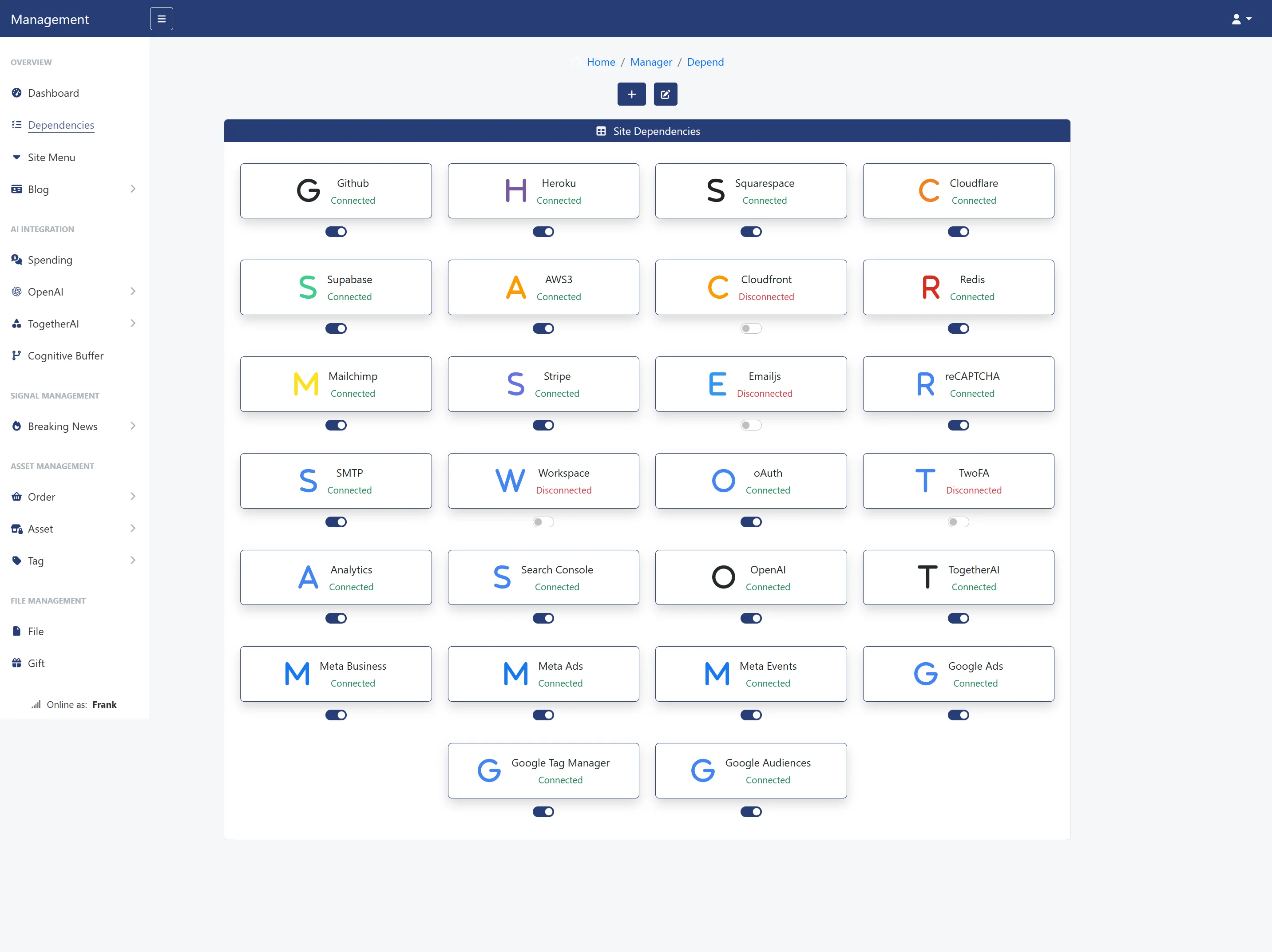
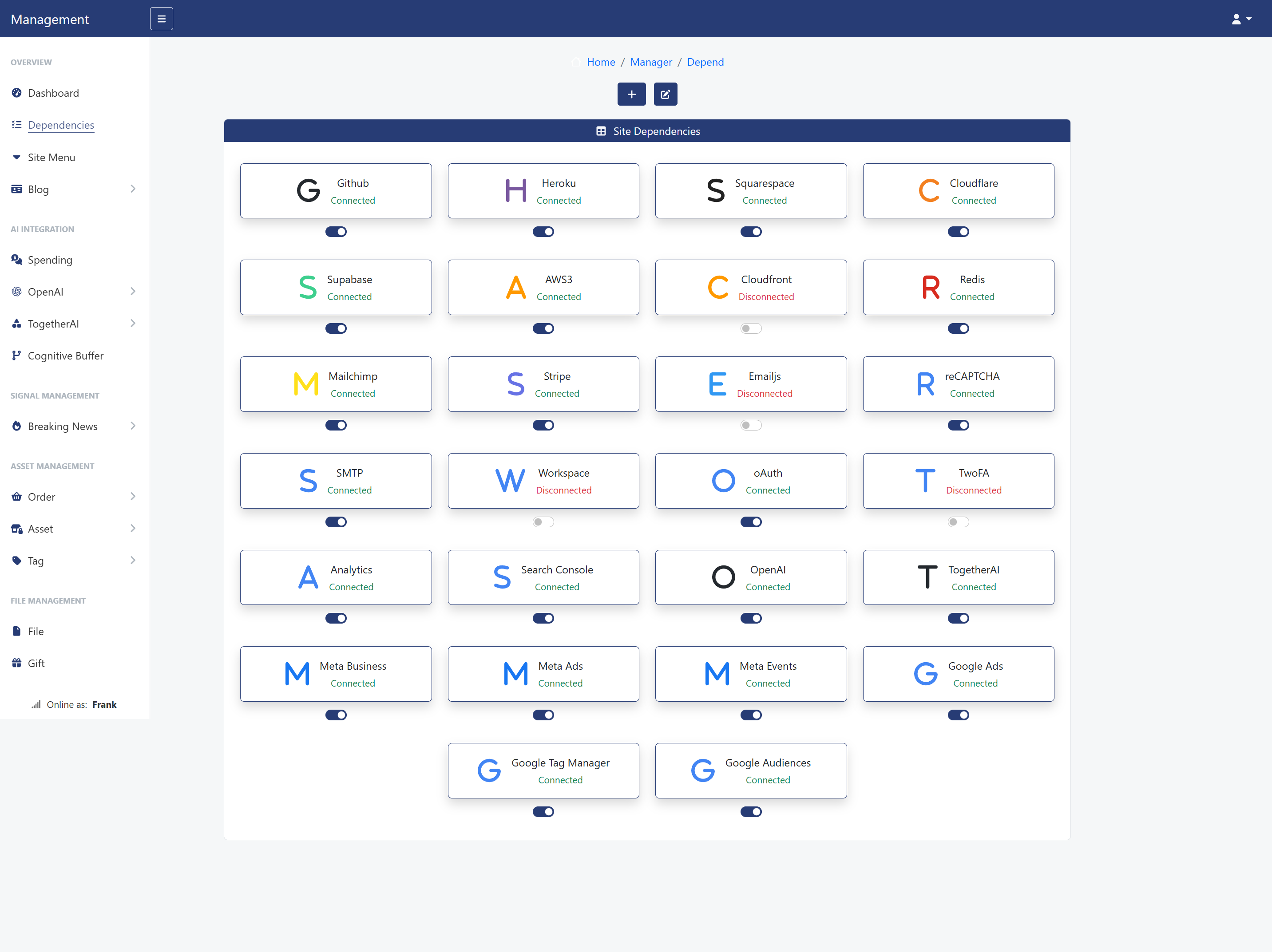
How to build a website without a large upfront investment or complicated setup. Thanks to modern Cloud and Edge Computing technologies, you can now host, scale, and manage your online platform efficiently, securely, and affordably. In this guide, we walk you through a real-life setup using Heroku for software hosting, Squarespace for domains and email, Cloudflare for security and CDN performance, Supabase for databases, and AWS S3 for media delivery. Together, these tools form a decentralized and flexible system...
How to build a website without a large upfront investment or complicated setup. Thanks to modern Cloud and Edge Computing technologies, you can now host, scale, and manage your online platform efficiently, securely, and affordably. In this guide, we walk you through a real-life setup using Heroku for software hosting, Squarespace for domains and email, Cloudflare for security and CDN performance, Supabase for databases, and AWS S3 for media delivery. Together, these tools form a decentralized and flexible system...







Creating a Website Is No Longer Expensive

Frank Arellano
Founder of Plexotrade LLCIn a traditional environment, creating a website requires you to pay a lot of money upfront. Even if you don’t need much computational power in the first few months, you still have to pay just to have a place in their ecosystem.
However, there is a new paradigm that changes this reality — something called Cloud Computing and Edge Computing. With these technologies, you can decide how much computational power you need and even pause billing when your site is not in use — without losing your account or complicating your setup.
A modern, decentralized web infrastructure that relies on cloud and edge computing principles rather than traditional, monolithic hosting.
In this article, I will present the real-life setup for a modern website where you are the true owner and controller of your environment — flexible, efficient, economical, and secure. Consider it your checklist guide — don’t miss the end!
1. Heroku
Heroku is a Platform as a Service (PaaS) platform where you can host the software that powers your website or app. It handles the logic behind your site, and optionally, your database and other add-ons such as Redis cache, Cloudinary, and more. It supports various programming languages, including Python, PHP, Node.js, Ruby, Java, Go, and others.
This is where we host our own website software and where we deploy products for our clients. Based on our experience, we fully recommend it.
On Heroku, you can easily control your resources by switching between different billing plans — from $5 or $7 to $25 or more. The platform understands that not everyone will have hundreds or thousands of visitors overnight; therefore, it gives you flexibility in terms of computational needs.
For instance, the $5 plan, currently called Eco, automatically pauses server activity if no one visits your site for a certain period. This means you only pay a fair, fixed monthly price while saving energy and resources.
Your site will go back online the moment it’s visited again. It may take a few seconds to load initially, but full performance will resume immediately afterward.
Here’s a Heroku tutorial we created to help you set up your account:
1.1 GitHub
GitHub is another marvelous online tool. We use it to develop our software, store our code, manage projects, and deliver updates to our users. In your case, you’ll mostly need it as a quick sign-up or sign-in option where possible.
If you’re working on professional projects, building a product, or providing a service, we recommend using SCRUM on GitHub. We’ve put together a short course to help you set up and run the key artifacts.
SCRUM was created on the foundation of agile principles, and today it serves as the backbone of modern project development. It lets you plan, distribute tasks, forecast, document, and collaborate with team members and clients—always focusing on value, economy, and efficiency.
- SCRUM Framework Course in GitHub 🧩 (On YouTube)
Working on a project without an agile framework is like trying to build a bridge with no documents, no tools, no guidance, and no structured plan.
2. Squarespace

On this platform, you can buy and host your domain name. Squarespace was previously part of Google, and even though that’s no longer the case, Google still recommends it as a trusted provider.
We love it because it’s both powerful and user-friendly. You can set up email forwarding very easily, allowing you to create professional email addresses that enhance your online reputation — for example: [email protected], [email protected], or [email protected]. Any email sent to these addresses will be automatically redirected to your personal Gmail or another address of your choice.
We mainly use Squarespace to purchase and host domain names, set up email forwarding, and configure DNS services — which we later integrate with Cloudflare.
If you prefer a more dynamic setup instead of simple forwarding, you can also connect your domain to Google Workspace for greater control, stronger reputation management, and advanced mailing functionality.
Feel free to brainstorm domain name ideas using Squarespace’s domain search tool. Remember: your domain name is unique — no one else in the world will have the same one. It’s your address on the internet, the place where your users will find you.
Here’s a Squarespace tutorial we created to help you set up your account:
3. Cloudflare
Cloudflare is a powerful tool that takes your website to another level by introducing you to edge computing. The idea is simple: the static files of your website are delivered to visitors from the closest server location on Earth, thanks to a Content Delivery Network (CDN).
Beyond improving performance, Cloudflare also provides several additional benefits — including an extra layer of security against DDoS attacks, AI bot protection, caching, and a wide range of network and cybersecurity services.
The process works by connecting your domain name to Cloudflare, which then manages your site’s traffic. We achieve this by linking Squarespace to Cloudflare and Heroku to Cloudflare, creating a seamless and efficient infrastructure.
As you can see, everything is interconnected with purpose. Tasks are delegated in an economical, efficient, and intelligent way.
The best part is that Cloudflare offers a free plan, which is more than enough for most users. You can always upgrade later if your site grows or you need more advanced features.
At this point, you have Heroku for software hosting, Squarespace for domain management, and Cloudflare to deliver your content efficiently across the globe. There’s still one essential piece missing — the database.
Here’s a Cloudflare tutorial we created to help you set up your account:
Use the PLEXOSOFT coupon at checkout and enjoy 20% off any product or service on our site.
4. Supabase
We mainly use PostgreSQL in our services and related software. PostgreSQL is our choice because it combines the reliability of a traditional SQL database with the flexibility of modern features, such as JSON storage and powerful extensions.
This database is hosted on Supabase, where all the raw data of your site — including instances like products, services, blog posts, and more — will be securely stored.
Supabase also offers a free plan for startups, which you can later upgrade to improve performance and unlock additional features, such as automated weekly backups.
Connecting it to your site is simple: you only need a secret key, which you’ll copy and paste into the DATABASE_URL environment variable of your Heroku app. From there, Heroku and Supabase will communicate seamlessly through an API.
As you can see, you now have everything you need to build a powerful website using Cloud and Edge Computing technologies — all within efficient, secure, and cost-effective environments.
There’s just one final piece missing: the delivery of static files, such as .css, .js, images, and audio. That’s our next point.
Here’s a Supabase tutorial we created to help you set up your account:
5. AWS S3
There’s another crucial place where the real magic happens. When a user visits your site, they request multiple types of data without even realizing it. First, the HTML and database data are delivered from your Heroku server and Supabase database. Then, there’s another important request: the media files — the elements that give your website its color and shape — including images, audio, videos, and other static content.
This is where Amazon Web Services (AWS) comes into play. Yes, Amazon is far more than just a retail website. It operates a massive digital infrastructure that millions of websites — including ours — depend on. Even OpenAI uses AWS for media delivery when you generate images through their platform.
Many powerful, real-world applications rely on AWS S3 services. It’s a paid service, but we can confidently say it’s remarkably affordable — as of today, for example, we pay less than one dollar per month to use their storage.
Just like with your database, you’ll only need a few secret keys to interact with AWS through their API. These are added to your Heroku environment variables:
AWS_ACCESS_KEY_ID
AWS_S3_REGION_NAME
AWS_SECRET_ACCESS_KEY
AWS_STORAGE_BUCKET_NAME
AWS also includes another service called CloudFront, which uses Edge Computing to deliver media files even faster, while adding an extra layer of security. This service is optional, but we recommend it if your site starts attracting thousands of visitors. It increases your billing slightly, but it’s still very affordable for the performance it provides.
Here’s a AWS S3 tutorial we created to help you set up your account:
This is the true magic of modern infrastructure — a world where you decide what to turn on or off, when to be billed and when not to be, with the freedom to start with free versions before upgrading as your needs grow. That’s why this represents the new modern paradigm for creating and maintaining a website today.
6. Redis
This is the final touch we’re adding to your online infrastructure. At this point everything is already connected, but your site can dramatically improve its performance by implementing a strong caching system, which in this case we outsource to Redis.
Every time a user accesses your site, you trigger multiple requests: to the server on Heroku, to Cloudflare, to AWS3 and to the database. The most critical part is the database. To avoid unnecessary queries and to add an extra layer of security, our software caches the key data your site needs.
This means that instead of querying your database on Supabase or on Heroku directly, your application talks to Redis first. The cached data is always ready, always fast, and your database only gets involved when truly necessary.
The other good news is that Redis is also free until you actually need more memory or processing power!
This is the dynamic you’ve been aiming for all along: clean separation of concerns, affordability, efficiency, and security—working together in the background to give you and your users the smoothest experience possible.
Summary
We believe we’ve shared with you the right recipe to maintain and scale your project online using state-of-the-art tools. What we’ve presented here can truly change the way you build, manage, and grow your online presence.
The key idea is to connect these platforms to propel yourself and your business online — as simple as setting up Heroku, purchasing and configuring your environment on Squarespace, and connecting both to Cloudflare to complete most of the synergy.
Then, you’ll add a database (Supabase) connected to Heroku, and finally, an AWS S3 service to deliver your media content, and connect to Redis to enhance your site's performance.
There’s a clear synergy here — some services handle hosting, while others focus on data and media delivery. Each platform provides its own security measures, which, combined with your software’s internal security, make your website as powerful and safe as possible.
- Heroku – for the software (for example, our solutions), where everything is connected.
- Squarespace – for domain hosting and email forwarding.
- Cloudflare – for DNS propagation and an extra security layer.
- Supabase – for storing and securely delivering your data and your users’ data.
- AWS S3 and CloudFront (optional) – for fast and secure media delivery.
- Redis – accelerates your site by caching key data in memory.
As we can see, this setup provides efficiency, economy, and security. The decentralization and delegation among these services make your site more scalable and resilient, eliminating any possible single point of failure (SPOF).
Keep in mind where each component operates:
- The logic and dependencies are stored on Heroku.
- The network settings, email forwarding, and domain management happen on Squarespace.
- The global propagation and DDoS protection are handled by Cloudflare.
- The data storage and delivery occur through Supabase.
- The media files (for read access or downloads) are hosted and served by AWS S3 and optionally CloudFront.
The cached data system that accelerates your site and reduces database queries with Redis.
This creates a hexadic system — a six-layered infrastructure for your website, where you control and maintain every dependency from a decentralized setup. You are the true owner and controller of your data — something you cannot experience on social media or centralized platforms.
More than just a website, this is your own powerful online platform.
That’s exactly how Plexotrade LLC delivers its services through Plexosoft: we help you set up the infrastructure, install the software, and connect everything for you. In a matter of moments, you’ll have your own web platform running — ready to turn attention into clients.
Check out our related services for more details, whether you already have a website with us or are looking to migrate from another provider.
Use the PLEXOSOFT coupon at checkout and enjoy 20% off any product or service on our site.






Comments (0)